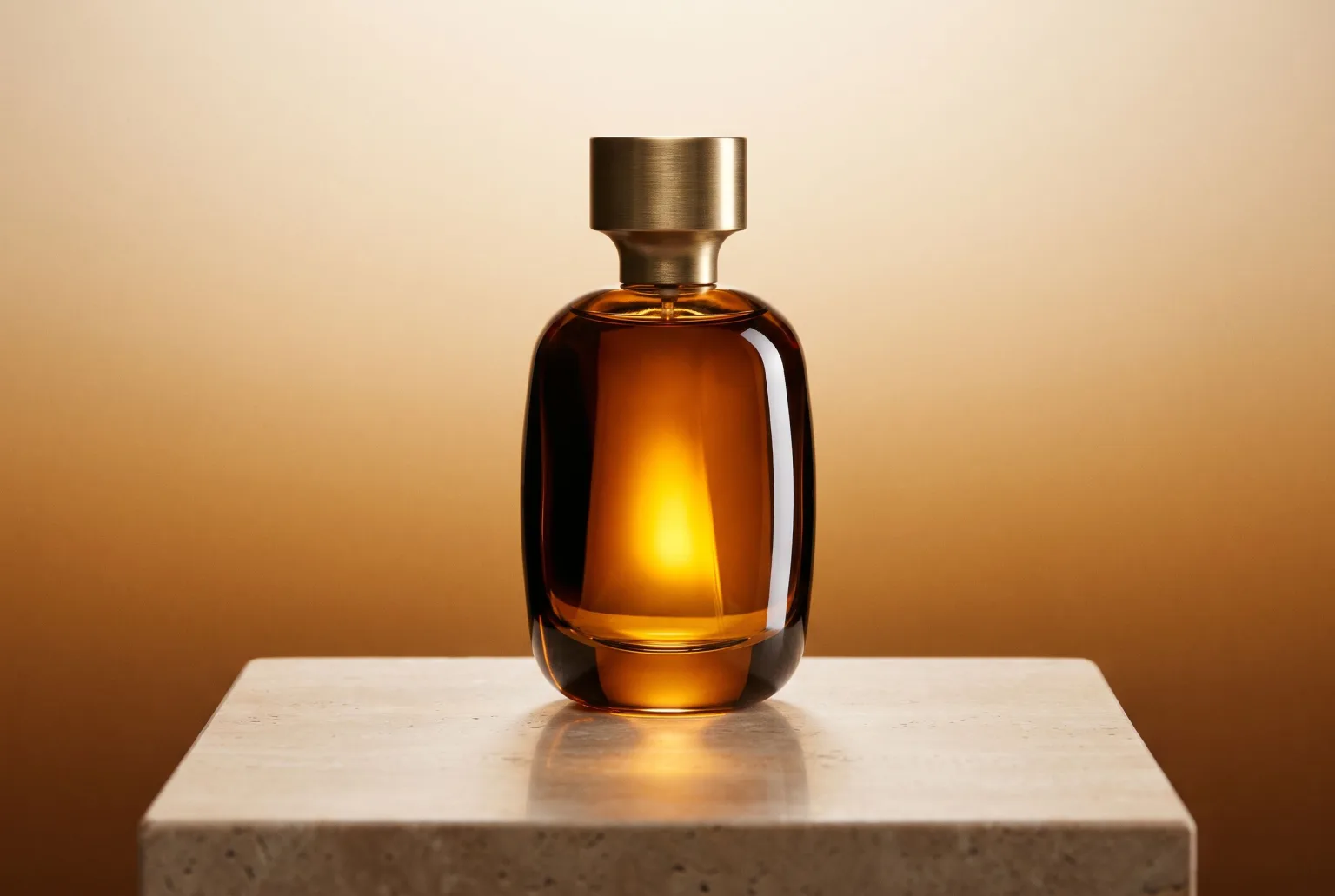
Most e-commerce catalogues contain two kinds of images: the handful that were properly shot, and the rest: supplier photos, phone snaps, whatever came with the product. The gap between them is visible on every category page.
Closing that gap by shooting everything is a budget problem. Closing it with AI is a fidelity problem: general image generators invent products, and an invented product cannot go on a product page.
The distinction that matters
There are two things people mean by "AI product photography":
Generating a product. You describe a bottle and the model draws one. Useful for concepts and moodboards. Useless for a catalogue, because the bottle it draws is not the bottle you sell.
Re-photographing a product. You supply the actual product image and the model builds everything around it: the set, the light, the surface, the shadow, the composition. The product stays yours.
Magnifiq does the second. Your input image is the product; the generation is the photo shoot around it.
What you can compose
The Studio is one workspace: a recipe column on the left that applies to every subject, and a board on the right where each product gets its own row and its own results. The recipe starts with a shot type:
| Shot type | What it does | Good for |
|---|---|---|
| Scene | Builds a composed scene around one or more products; choose an AI model and the product is shown in use, with a person | Hero images, in-use shots, banners |
| Fashion shoot | Dresses one of your AI models in your garments | On-model looks, campaign styling |
| Lookbook | Turns one product into a matching set sharing one palette and light | Seasonal campaigns, cohesive catalogues |
| Extract outfit | Splits one outfit photo into a clean product image per garment | Packshots from on-model or street photos |
| Materialize | Renders a garment illustration in a fabric | Pre-sample catalogues |
| Colorize | Recolours product photos to a target colour | Colourways, seasonal palettes |
| Text to Image | Generates from description alone, no product input | Concept work |
Each subject row holds its own product images, and a shared References card carries everything else (mood images, logos, clothing, past results), so the product stays the hero. How many images fit depends on the engine, up to 14. Tick Autocompose and a vision model looks at each subject and writes a scene that fits it, guided by your text, so the starting point is a description of what you actually uploaded rather than a blank field.
Starting from a style instead of a blank page
Twenty-one curated templates each bake in a full setup: prompt, composition mode, aspect ratio and quality tier. Levitation against a pastel gradient. Overhead flat lay. Wet beauty with rim light. Exploded view. Banner with copy space reserved for a headline. You drop the product in and generate.
Browse them in the style library.
Output that fits every channel
- Up to 10 aspect ratios, depending on the engine, from 1:1 through 21:9 cinematic and 9:16 vertical
- Smart crop: set the focal point once, export the five channel crops (1:1, 4:5, 3:2, 9:16, 16:9) in one zip
- Up to 4x upscaling (to 4096 px) for print and hero placements
- JPEG, PNG, WebP and AVIF, with background removal to transparent PNG when a channel needs it
Fixing a shot without regenerating it
The Editor picks up where generation stops. Paint a mask over a region and describe the change, and only that region is regenerated. Outpaint to a wider frame without touching the original pixels. Remove the background, auto-enhance exposure and colour, or push resolution up to 4x.
That matters more than it sounds: the usual failure mode of AI imagery is that one detail is wrong and the whole generation gets thrown away. Masked editing turns that into a thirty-second fix.
Input quality, honestly
The product needs to be clearly visible and in focus. Lighting, background, surface and styling are what gets replaced. Sharpness is not. A well-lit supplier photo on a white background is an excellent input. A blurry photo on a dark carpet is not, and no amount of prompting will make it one.
Disclosure and content credentials
When you download, you can embed a signed C2PA manifest and IPTC labels declaring the image AI-generated. Any later edit breaks the cryptographic seal, so a viewer can distinguish an untouched file from a tampered one. Downloading the original file with credentials leaves every pixel as it was generated.
This is the machine-readable disclosure the EU AI Act asks for. It is your choice per download, and the download dialog can also stamp the official EU AI label visibly in a corner of the image.
Start generating your own product images
Bring the product photos you already have and generate your first studio-quality shots in minutes. Free plan, no credit card.
Get started free100 image credits every month, forever.
Related use cases
Blend Into Scene: Outdoor Product Photos That Do Not Look Pasted In
The cut-out look is what gives a composited photo away. Blend Into Scene matches the shadows, light direction, depth of field and colour grade of the surrounding scene so the subject belongs in it. Same references, same prompt, one toggle.
Flat Lays and Packshots
Clean catalogue packshots and overhead flat lays generated from the product images you already have: consistent lighting, consistent background, every marketplace ratio.
Lifestyle Product Photos
Put the product you actually sell into a real setting, in use, with people, generated from your existing catalogue images instead of booked as a location shoot.