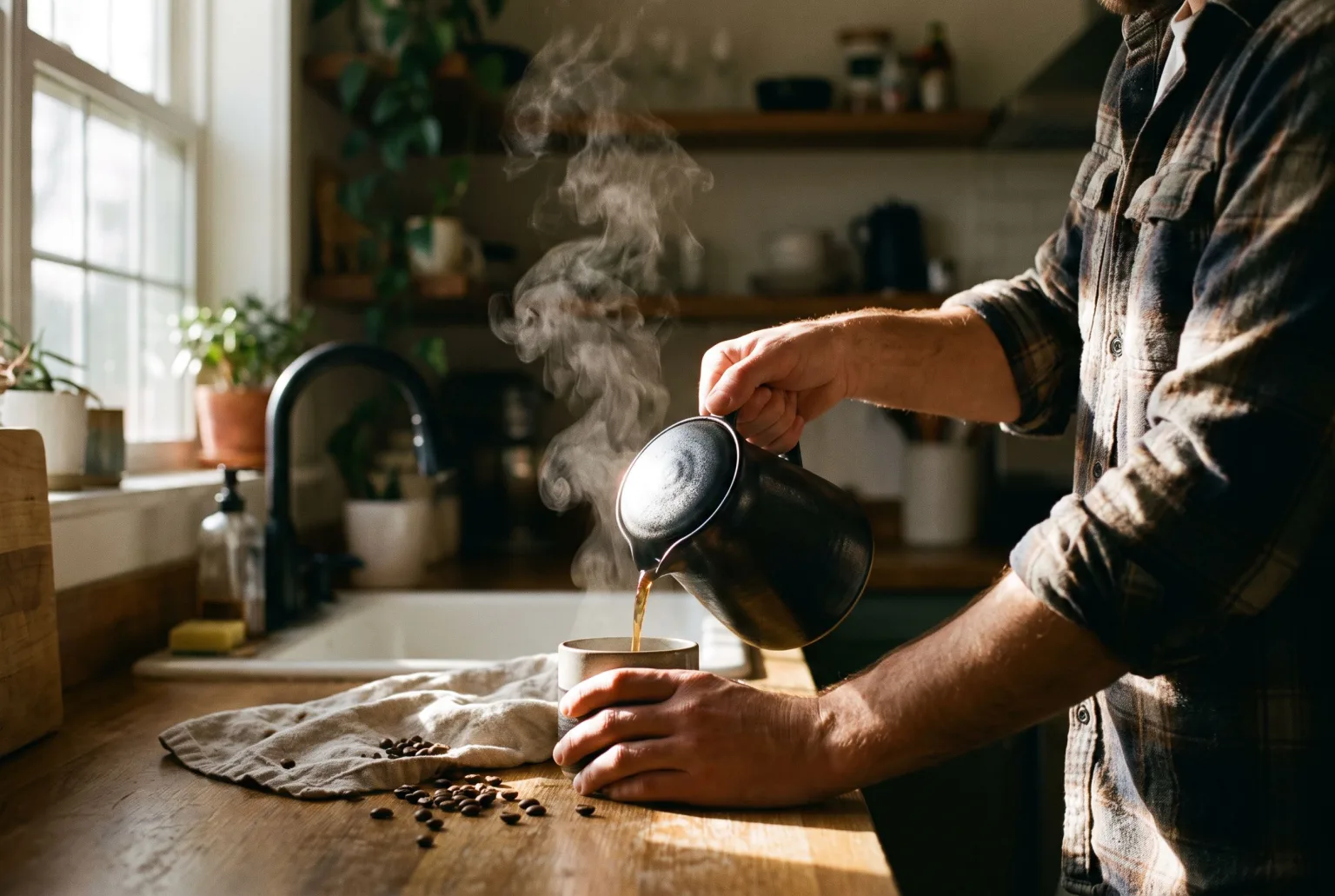
A packshot answers "what is it". A lifestyle image answers "why would I want it". Ads, social and category pages all lean on the second, and it is the one most catalogues are short of, because a lifestyle shoot means a location, a person, props, and a day.
Generated setting, real product
Choose one of your AI models in the Studio and it takes your product image and places it into a scene where that person is genuinely using it, caught mid-moment rather than posed holding it toward the camera. The setting, the light, the surroundings and the person are generated. The product is the one you uploaded.
That constraint is the point. An AI-generated lifestyle shot of an invented product is a stock image with extra steps. One built around your actual SKU is a product asset.
Direction you can actually give
- Free-text scene direction: where it is, what time of day, what the light is doing, what else is in frame
- Style references: supply mood images and the generation borrows their palette and feel while keeping your product intact
- Brand colours: the backdrop colour picker offers your Brand Kit hex values as swatches, so a scene can be pinned to your palette rather than described and hoped for
- "Blend into scene": a realism modifier that matches the surrounding camera angle, depth of field, colour bleed and contact shadows, so the product sits in the scene instead of on top of it
That last one is worth knowing when to skip: it belongs on shots that put the product in a real place. On a clean studio backdrop it will override the intended lighting and invent an environment to match, which is rarely what you wanted.
A whole campaign from one product
The Lookbook shot type takes a single product and returns a matching set (hero, macro detail, in-use, and more) that shares one palette, one light and one mood. Six look presets ship ready to use: golden hour, moody editorial, clean and bright, warm earthy, cool minimal, studio softbox.
That is a campaign's worth of on-brand images from one product and one click, rather than a shot list.
Every placement, one focal point
Lifestyle images get cropped harder than any other kind: a 9:16 story, a 4:5 feed post, a 16:9 banner with the headline over the left third. Set the focal point once and export the five channel crops (1:1, 4:5, 3:2, 9:16, 16:9) at once, rather than recropping each and discovering the product left the frame. Wider shapes such as 21:9 are picked at generation time, on engines that support them.
The Copy space option goes further and keeps the top, bottom, left or right of the frame clean for a headline at generation time. The "banner with copy space" template reserves the left third the same way.
Disclosure
Lifestyle imagery is where AI disclosure matters most, because it depicts people and situations that never happened. Any download can carry a signed C2PA manifest and an IPTC DigitalSourceType label marking it as AI-generated, the machine-readable disclosure the EU AI Act requires, embedded in the file itself so it survives being uploaded and re-shared. The same dialog can stamp the official EU AI label visibly on the image.
Start generating your own product images
Bring the product photos you already have and generate your first studio-quality shots in minutes. Free plan, no credit card.
Get started free100 image credits every month, forever.
Related use cases
Blend Into Scene: Outdoor Product Photos That Do Not Look Pasted In
The cut-out look is what gives a composited photo away. Blend Into Scene matches the shadows, light direction, depth of field and colour grade of the surrounding scene so the subject belongs in it. Same references, same prompt, one toggle.
AI Product Photography
Turn ordinary catalogue and supplier photos into studio-quality product shots: composed scenes, controlled lighting, every channel crop, and content credentials when you download.
Flat Lays and Packshots
Clean catalogue packshots and overhead flat lays generated from the product images you already have: consistent lighting, consistent background, every marketplace ratio.