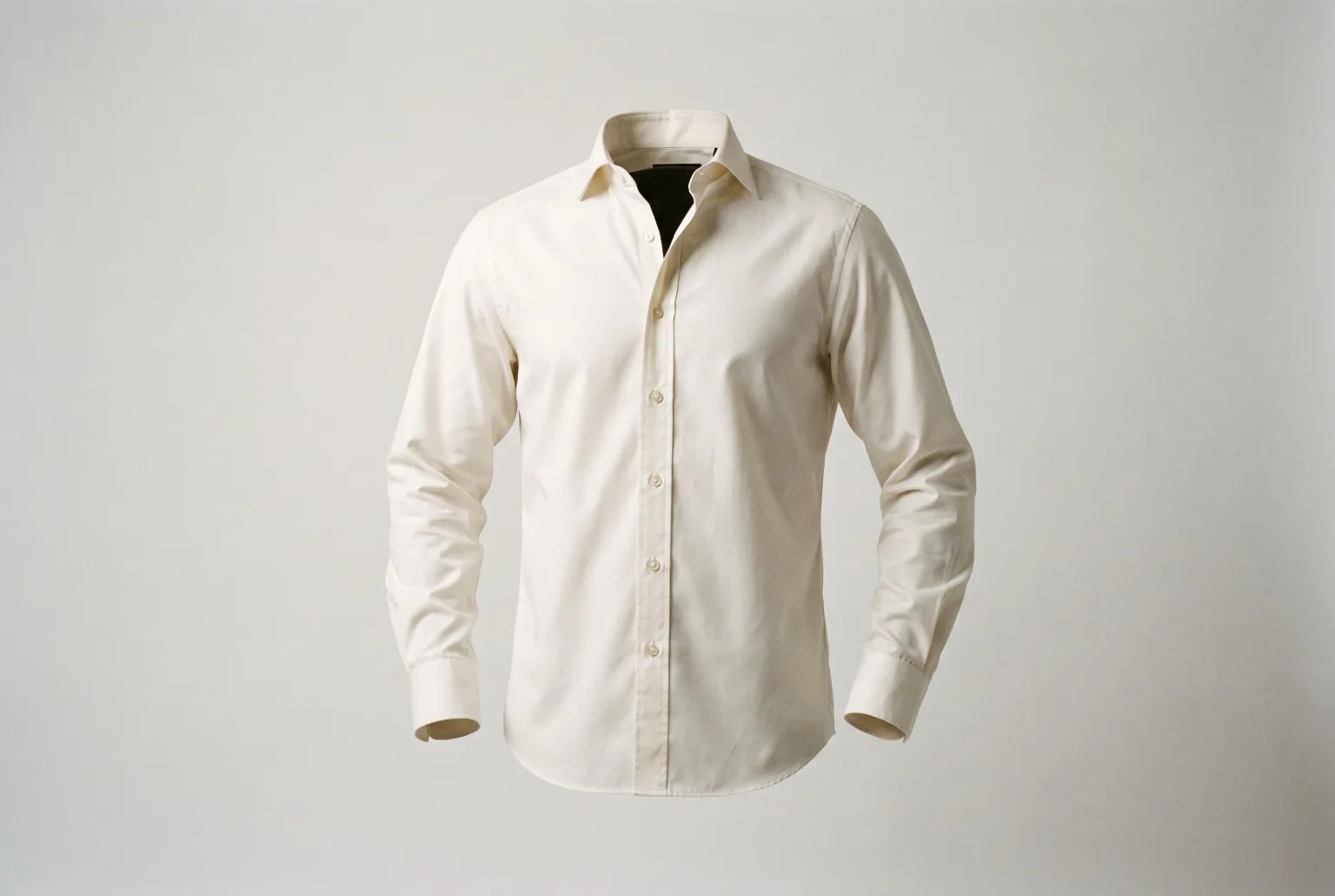
The ghost mannequin, or invisible mannequin, shot shows a garment holding its worn shape with nothing inside it. No body, no dress form, no hanger. It is the standard for apparel packshots because it does what a flat lay cannot: it shows how the garment sits.
Traditionally it is a compositing job. Photograph the garment on a mannequin, photograph the inside of the collar separately, then cut, mask and blend the two in post so the neckline reads as hollow. It is fiddly, it is slow, and it is a per-garment cost that scales linearly with the catalogue.
Generating it instead
Ghost mannequin is one of the five presentations shared by Materialize and Extract outfit in Magnifiq:
| Presentation | Description |
|---|---|
| Studio product | Clean catalogue shot on a neutral studio background |
| Flat shot | Garment laid flat, photographed overhead |
| Ghost mannequin | Worn 3D shape with no visible body, mannequin or hanger |
| On hanger | Hung, with natural drape |
| Mannequin | Fitted on a plain dress-form mannequin |
There is no compositing step and no second collar shot. The hollow neckline is part of the generation.
Three ways in
From the garment. Upload a clear photo you already have (hanger shot, flat lay, supplier image) as the illustration, pick a fabric swatch, and generate the ghost mannequin version. A clean front-on photo reads best; Materialize treats it as the sketch.
From a sketch. Supply a technical illustration and a fabric swatch and get the ghost mannequin shot before a sample exists. That is the version that changes a schedule rather than a budget: line sheets and pre-order pages stop waiting on sampling.
From an outfit photo. Extract outfit reads an on-model or street photo, lists the garments it can see, and returns a ghost mannequin shot of each one you tick.
Colourways in the same shape
Run the result through Colorize to recolour it to an exact hex value while keeping the fabric's texture and drape intact, and every colour in the range gets the same ghost mannequin treatment from one source. Six colourways, one shape, identical light.
Where it holds up and where it does not
Holds up: structured garments where the shape carries the product: shirting, knitwear, outerwear, tailoring, dresses. These are exactly the categories ghost mannequin exists for.
Harder: heavily draped or unstructured pieces where the "worn shape" is ambiguous, complex transparency, and garments whose only source image is crumpled flat with the construction obscured. If the shape does not read in your input, it will not read in the render.
Output and channels
Export the five channel crops (1:1, 4:5, 3:2, 9:16, 16:9) from one focal point, remove the background to transparent PNG when a marketplace wants it, and upscale up to 4x for print or zoom. Ghost mannequin shots are the ones customers zoom into, so resolution earns its cost here more than elsewhere.
Any download can carry signed C2PA content credentials and an IPTC AI-generated label, worth switching on for packshots specifically, since those are the images marketplaces are most likely to validate.
Start generating your own product images
Bring the product photos you already have and generate your first studio-quality shots in minutes. Free plan, no credit card.
Get started free100 image credits every month, forever.
Related use cases
Packshots From Outfit Photos
Turn one on-model or lookbook photo into a clean product image of every garment in it: studio, flat, ghost mannequin, hanger or mannequin, one packshot per piece you tick.
Flat Lays and Packshots
Clean catalogue packshots and overhead flat lays generated from the product images you already have: consistent lighting, consistent background, every marketplace ratio.
Sketch to Render: Sell Designs Before Samples Exist
Turn a garment sketch and a fabric swatch into a photorealistic product render (studio, flat lay, ghost mannequin, hanger or mannequin) weeks before the first sample is sewn.